
Challenge
Engineering teams booked physical test devices across spreadsheets, Slack threads and legacy tools — leading to conflicts and lost time.
Designing a clearer device-booking system for engineering teams working across a complex test environment.
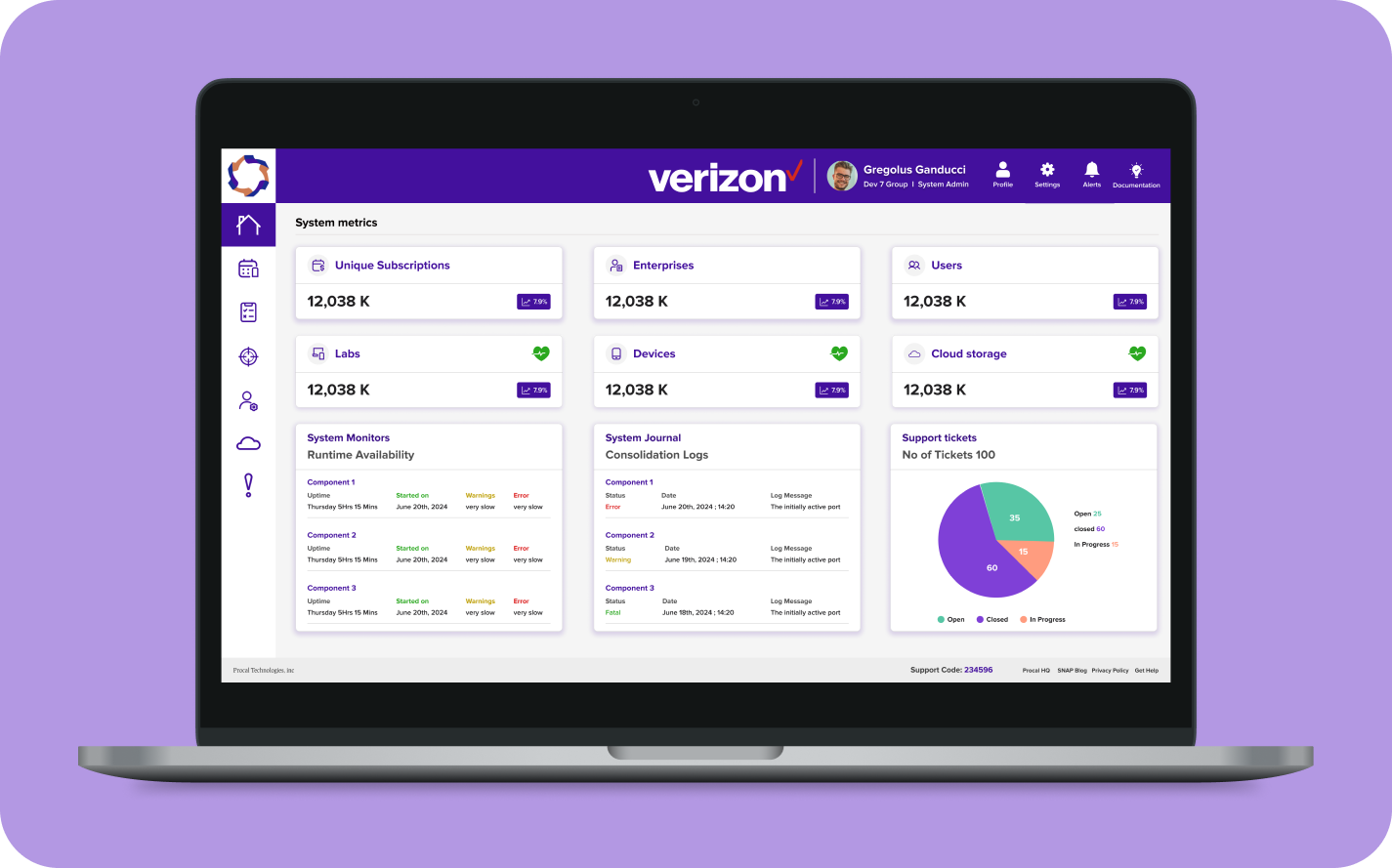
Engineering teams booked physical test devices across spreadsheets, Slack threads and legacy tools — leading to conflicts and lost time.
UX/UI Product Designer
Booking, scheduling, inventory and shared UI patterns.
A consistent booking experience with a reusable component library.
Understand the existing product and the people using it.
Connect device access to the wider engineering workflow.
Give devices, bookings and support a clear home.
Make discovery, evaluation and booking feel predictable.
Compare directions before committing to a system.
Turn repeated patterns into reusable product infrastructure.
Bring the chosen direction together across the portal.
Test the highest-risk decisions and iterate.
The starting point was a fragmented workflow: engineering teams booked physical test devices across spreadsheets, Slack threads and legacy tools.
The experience needed to bring availability and action into one place.
Design implication: make the booking path central, visible and easy to scan.
Teams needed enough information to choose the right device before committing time.
Design implication: keep device details close to availability and booking actions.
Available, booked and unavailable states directly affect planning.
Design implication: make status visible before a user starts a booking.
Inconsistent UI across tools increased the cost of learning and maintaining the product.
Design implication: use shared components and tokens across surfaces.
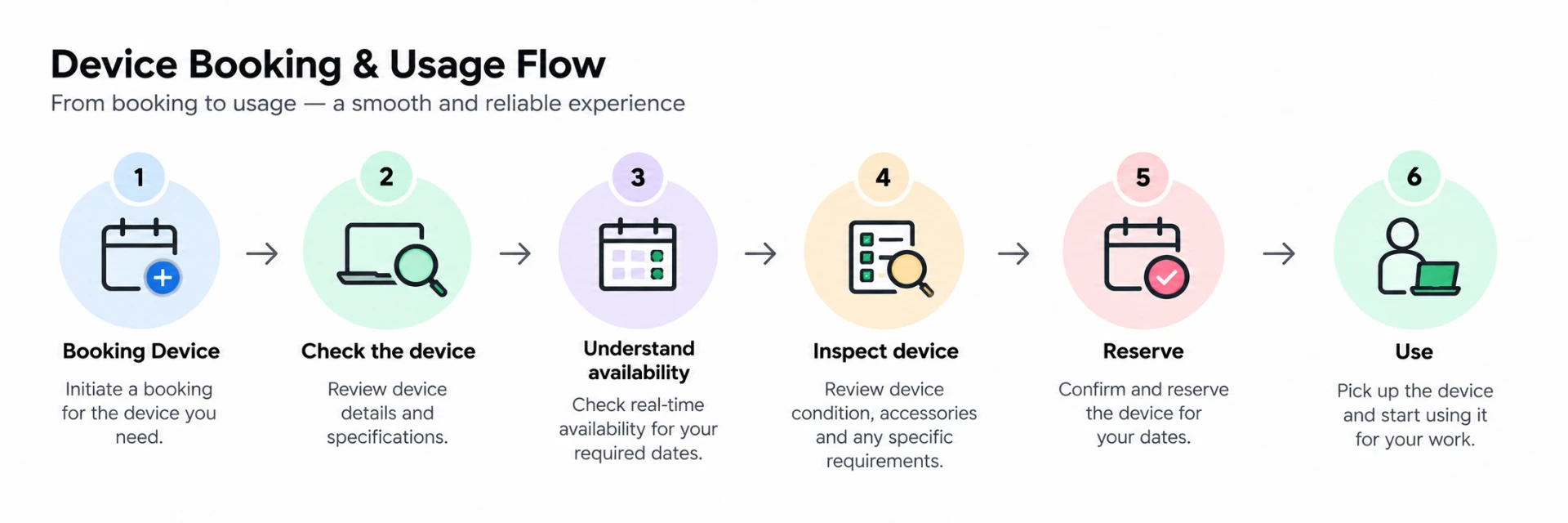
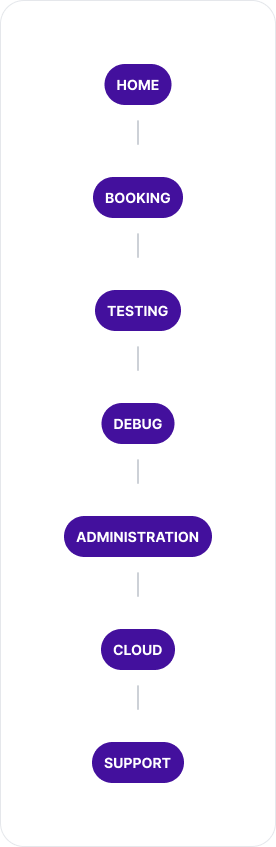
The product experience was framed as a connected journey rather than a set of isolated portal pages.
Home
Booking Device
Testing
Debug
Cloud
Support

Need a device
Search across tools
Coordinate access
Confirm a slot
Start testing
ImpactEngineers moved between spreadsheets, Slack and legacy tools.
OpportunityProvide one place to discover and manage device access.
ImpactThe current experience made conflicts harder to see early.
OpportunitySurface availability before the booking decision.
ImpactDifferent tools used different patterns for similar actions.
OpportunityCreate reusable patterns that can scale across device classes.
The primary flow keeps the decision points visible and brings availability into the moment when it matters.
The early work focused on navigation placement, device discovery, filtering, availability and confirmation.
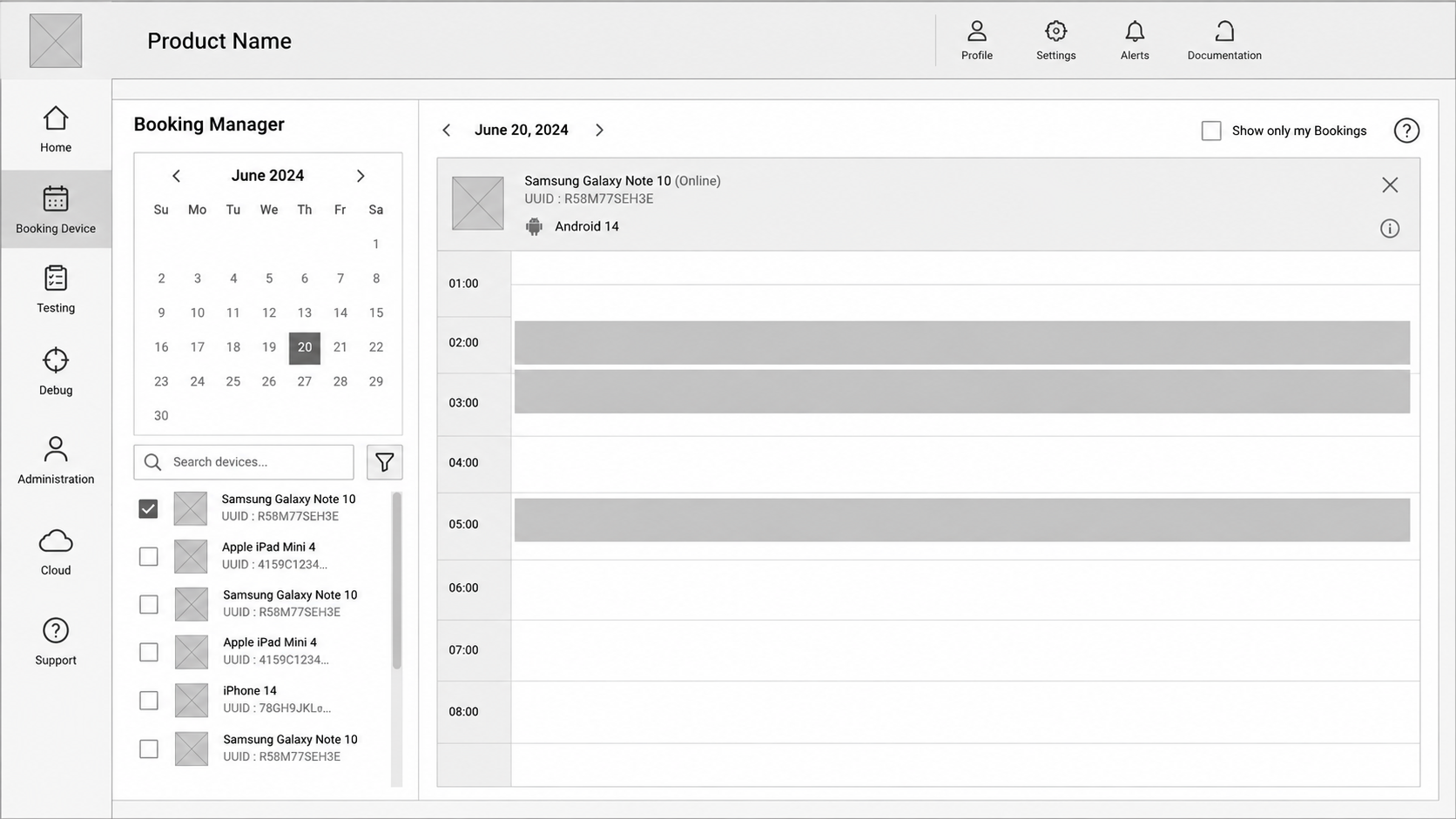
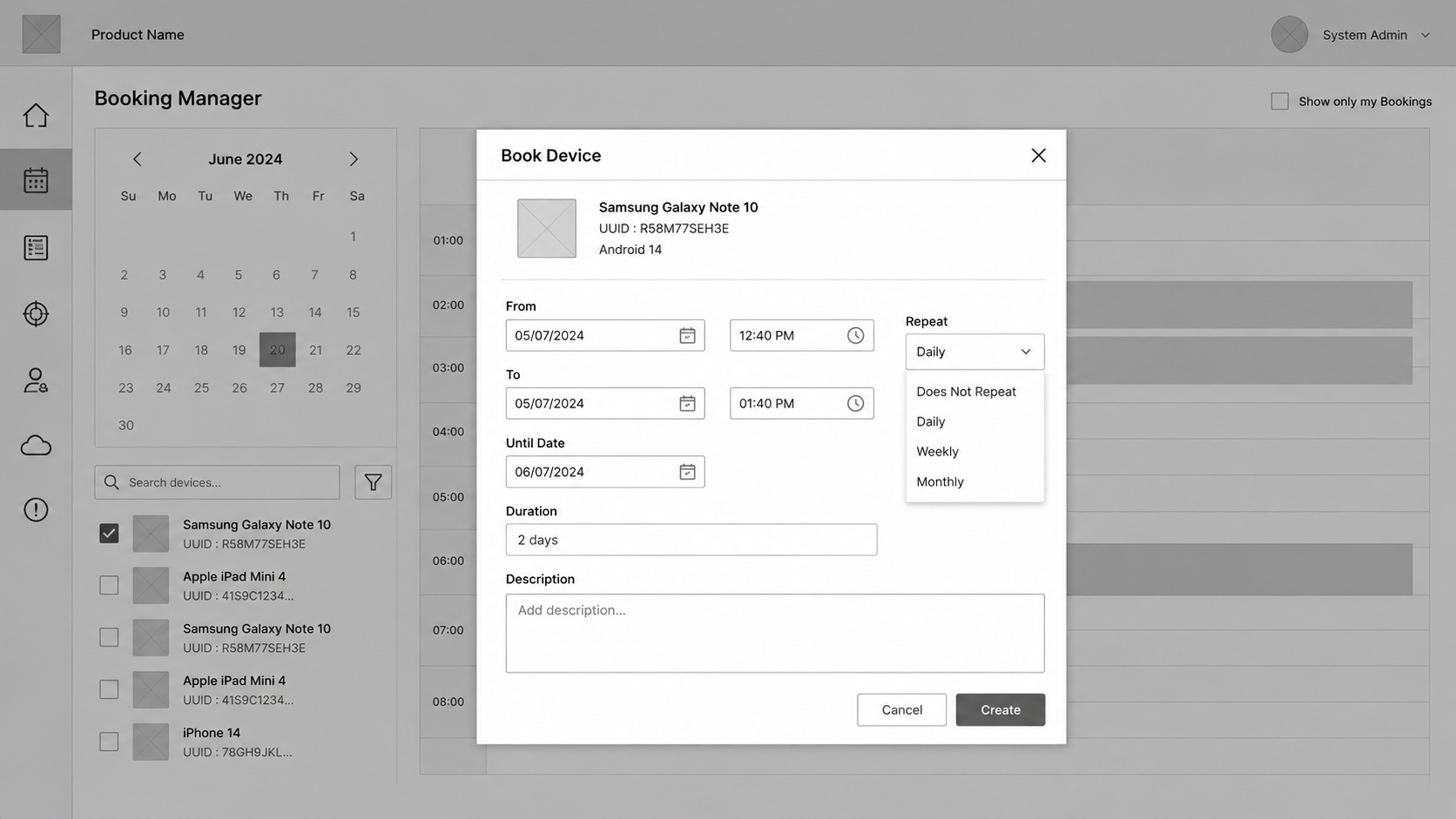
Prioritise device context and availability.
Put booking actions immediately within reach.
Keep context and action in the same visual field.
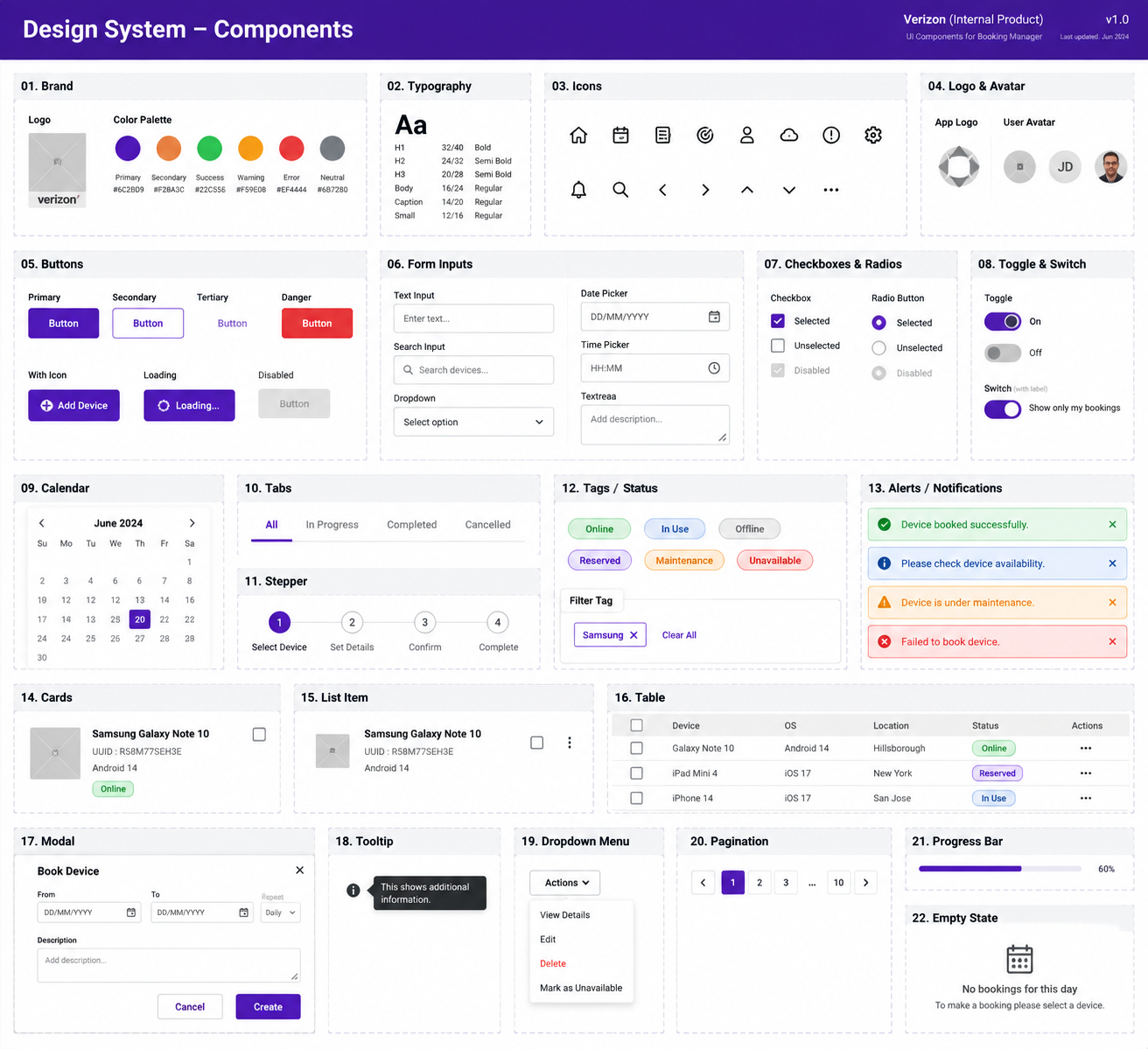
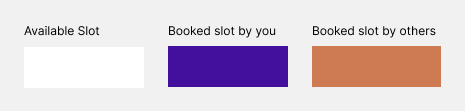
The final direction balanced quick booking with enough context to make the choice defensible. The design system then made that balance repeatable.
The system was designed to support many device classes and the surfaces around them, not just one polished screen.
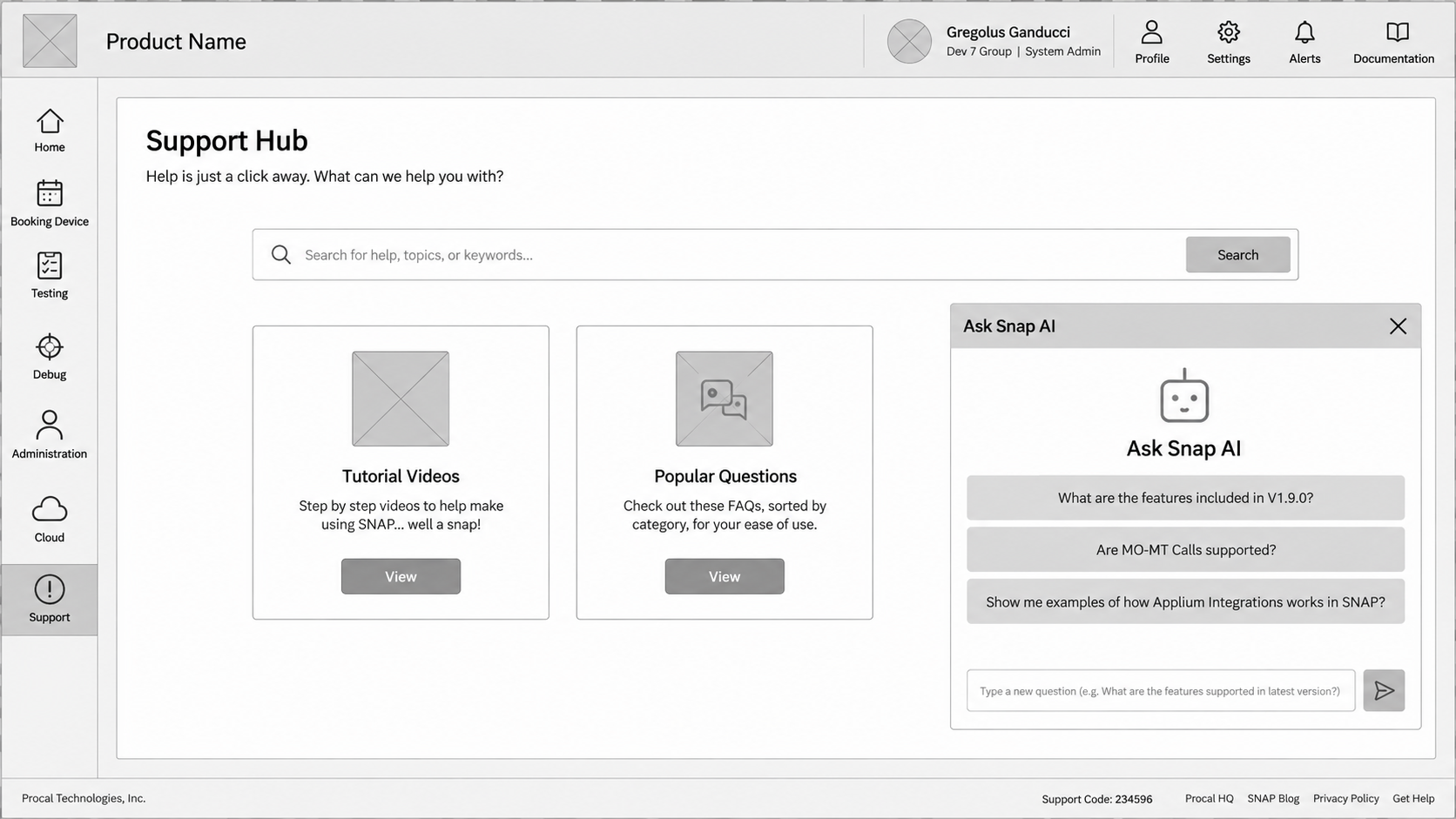
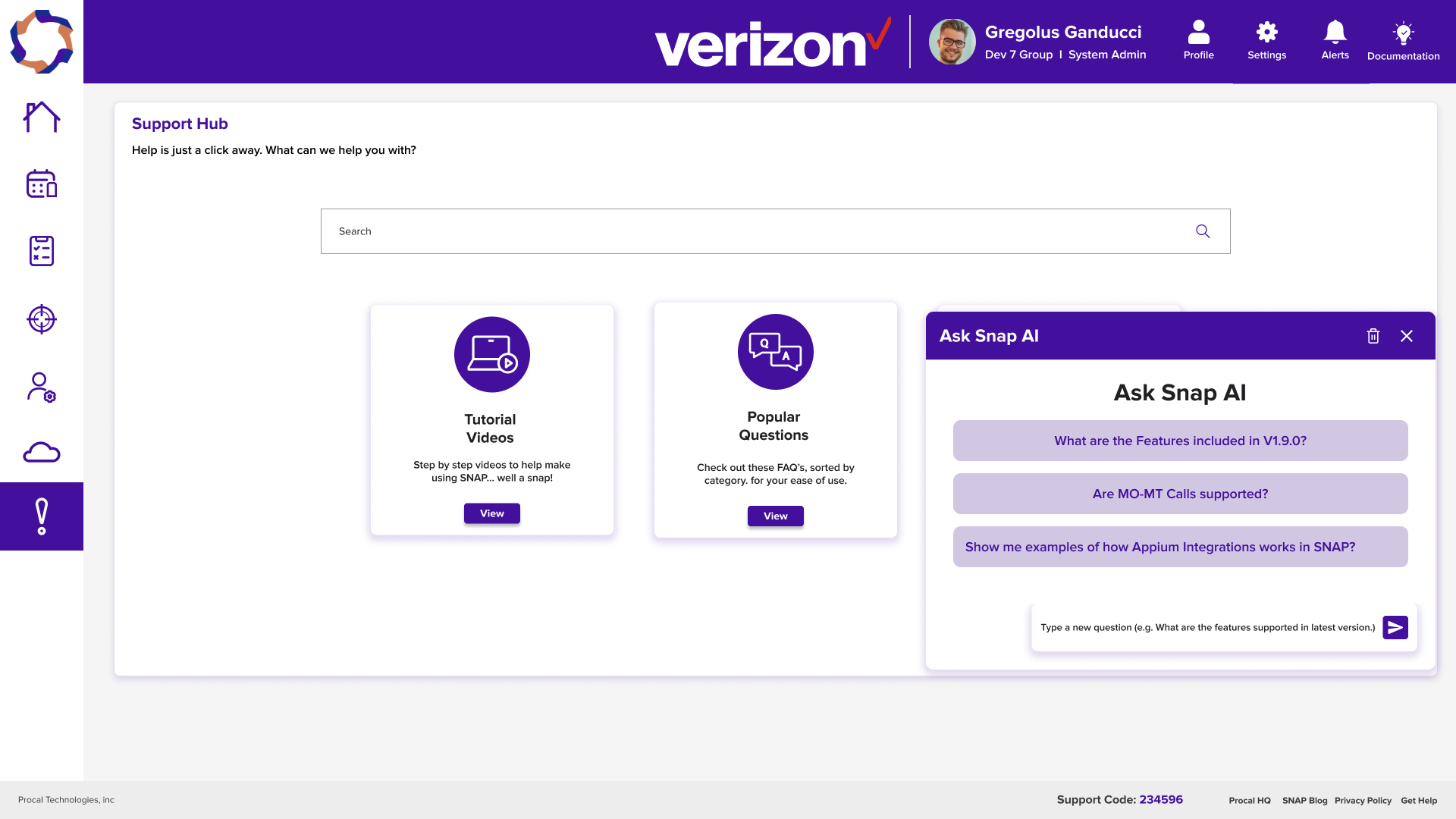
The brief calls for Snap AI to sit inside Support rather than become a disconnected destination. The supplied case-study evidence for this flow is not available yet.
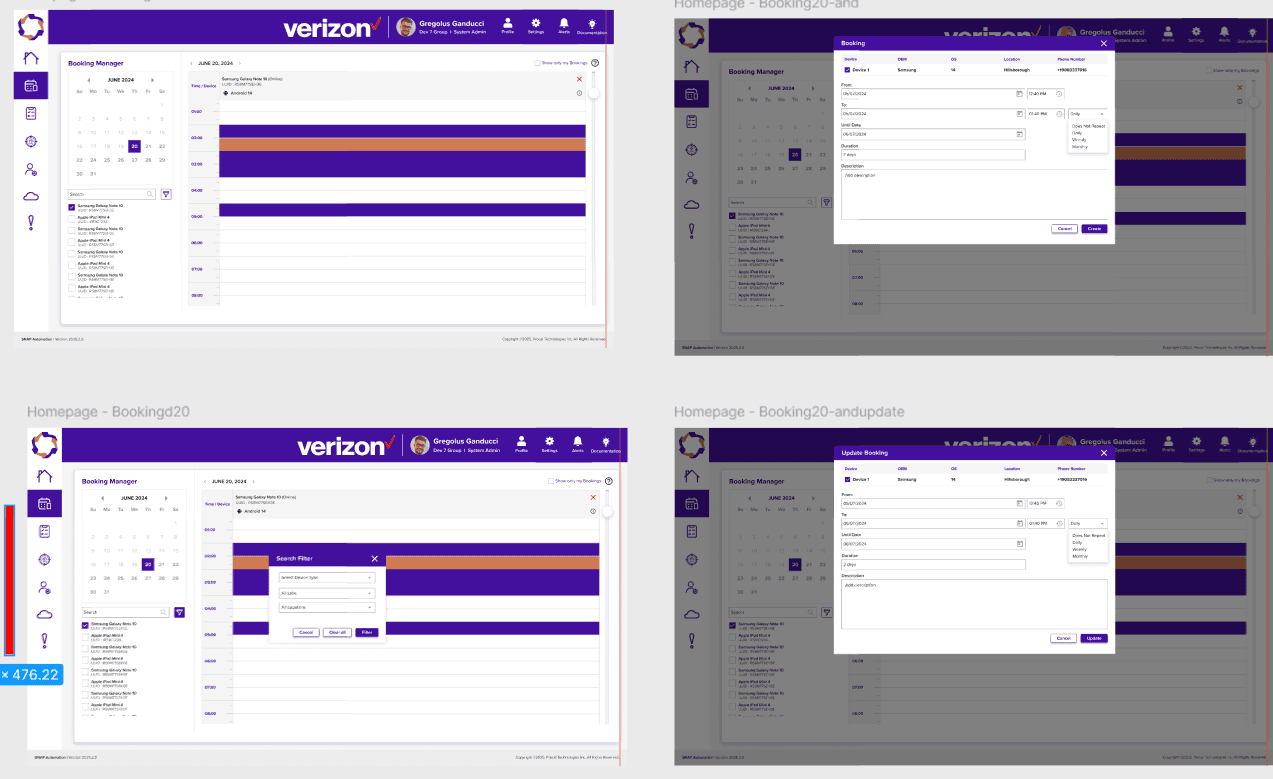
The final screens are organised by the workflow they support, not as a random gallery.
SNAP Automation — System Admin prototype
Decision: keep the product surface focused on a clear next action and visible device context.
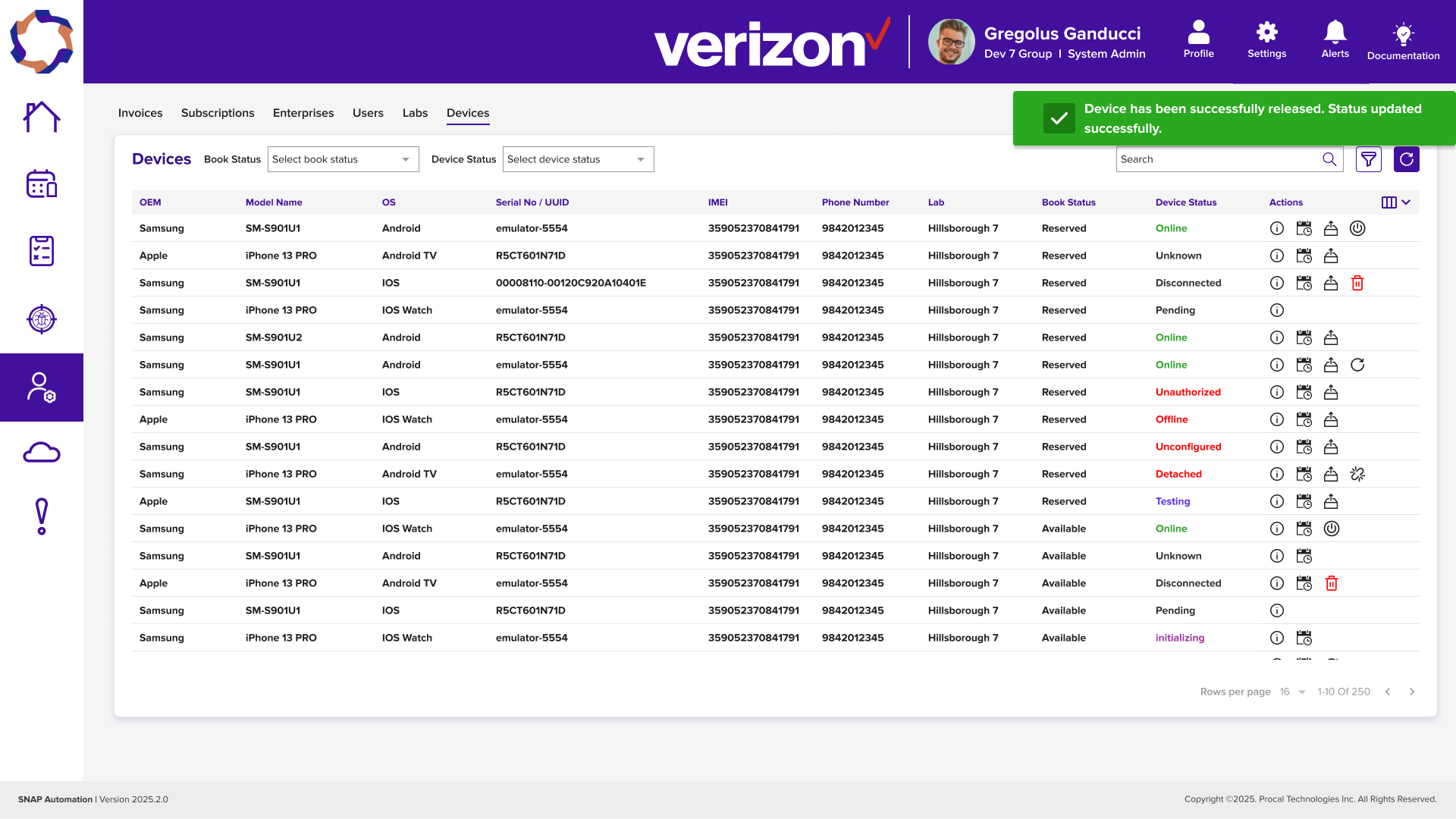
SNAP Automation — Web Portal
Decision: keep the product surface focused on a clear next action and visible device context.
SNAP Automation — Web Portal
Decision: keep the product surface focused on a clear next action and visible device context.
The existing study records five usability tests and a confidence rating of 4.5 / 5. Further evidence can be added as the work is documented.
A unified booking surface replaced a fragmented starting point.
Availability became part of the booking decision.
Shared patterns created consistency across internal products.
The support entry point is defined as part of the experience:
Investing early in tokens and primitives paid back across every feature shipped after.
Tighter loop with platform engineering would have caught permission edge cases sooner.
Open the system to partner teams as a shared internal product surface.
Snap Automation taught me how to design a complete device-booking workflow and simplify navigation across different user levels. I learned that good enterprise UX is not about adding more information—it is about giving users the right context, at the right moment, so they can confidently complete their task.
“The method was not about following a fixed process. It was about reducing uncertainty at each stage of the product decision.”
Happy to walk through the decisions, trade-offs and product-design method behind Snap Automation.